


Spades - Classic Card Game
4.7522.00 Reviews
App Specs
- Version
- 1.1.17
- Updated On
- License
- Free
- Downloads
- 100,000+
- Developer
- Mouse Games
- Categories
- Card
- Platform
- Android
Screenshots
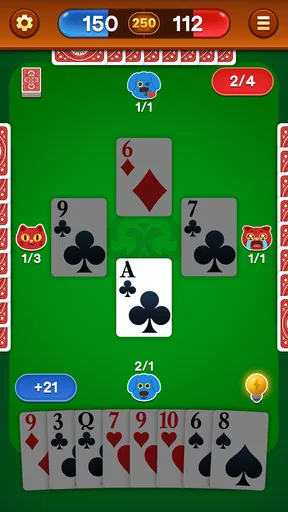
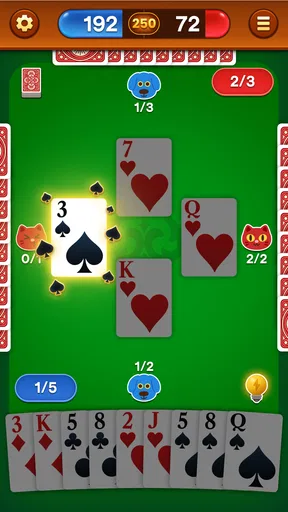
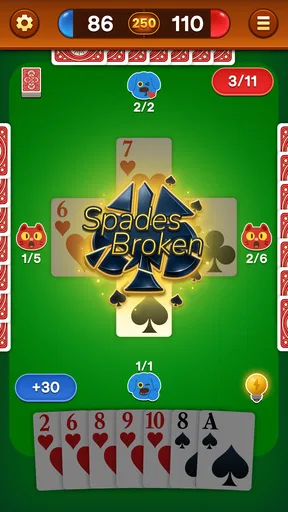
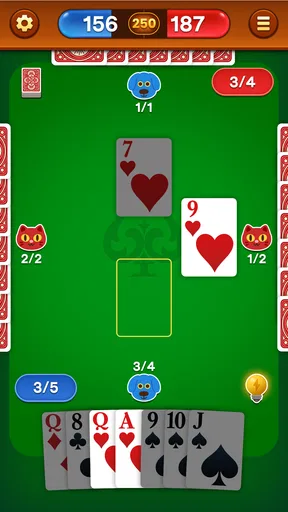

 Analysis by AppCompare
When a Spades game is familiar but the app feels unfamiliar, it is easy to blame the cards, the controls, or a shaky connection. I find it more useful to separate those issues: first check what kind of play you want, then decide whether this version suits it. Spades - Classic Card Game is a free card game from Mouse Games, and its offline focus makes it especially relevant if you want a quick round without depending on a steady connection.
Where players can get stuck
Spades has a small set of rules but plenty of room for disagreements. Before starting a game with friends, settle the details that often vary between tables: how bids are handled, what counts as a penalty, and what score ends the game. A digital table can only follow the rules selected in the app, so agreeing on those choices first prevents a friendly match from turning into a debate over what the game should have done.
There is also a difference between playing against the computer and playing with people. An offline round is convenient when you are alone or without internet, but it is not a substitute for sitting around a table and negotiating a shared house rule. If your main reason for downloading is to play with a particular group, check that the available way of playing fits that plan before you rely on it for a get-together.
Another common sticking point is expectations about challenge. A player who already knows how to count suits and track which cards have appeared may want opponents that respond consistently to those tactics. Someone learning the game may prefer a slower, lower-pressure session. I would treat a first round as a chance to learn how the app handles play rather than as a definitive test of how enjoyable it will be after several games.
Before you settle in to play
The game is free to download, with optional in-app purchases priced from $0.99 to $99.99 per item. I would start by playing without buying anything and see whether the basic experience meets your needs. That is the practical way to judge a card game: play enough to learn whether its pace, rule choices, and opponents suit you before spending money on extras.
It is rated for Everyone and requires Android 6.0 or later on Android devices. If installation does not go smoothly, check the device’s available storage and operating-system version, then try the usual safe steps: restart the device, make sure the store is working normally, and attempt the installation again. Those checks are more useful than assuming the game itself is broken.
If you plan to play offline, install and open the game while you have a reliable connection, then try a round before you head somewhere with no service. That simple test helps distinguish a problem with getting the app ready from a problem with the offline session itself. It also gives you time to learn the controls before a commute or flight, when troubleshooting is less convenient.
Worth Reading Before You Choose

EA SPORTS FC Mobile 26 Is a Bigger Football Game, but It Takes Time

Flipboard Shows What News Apps Must Do Beyond the Feed

Switching to Android Auto Means Rethinking Your Driving Routine

Google Calendar Makes a Crowded Week Easier to Manage

Ludo King Makes the Most of the Minutes Between Plans

Baby Panda World Brings Quick Play to Modern Phones, but Its Game Library Feels Busy
For a group game, check the setup while everyone is together rather than promising that a particular mode will work before you have tried it. People may be on different devices or may expect different rules. A quick practice hand can reveal whether the format matches the group’s expectations and save the more competitive game for later.
Getting Started with Spades
First things first, downloading Spades - Classic Card Game is a breeze. Just hit that download link, and you’re all set to dive into the world of strategy and competition. The app is lightweight, so no need to worry about it hogging your phone’s storage.
Once you’ve got it installed, you’re greeted with a clean, easy-to-navigate interface. It’s perfect for newbies and seasoned players alike. I’ve got to say, the developers did a fantastic job making sure everything is intuitive. You can jump straight into a game or take a moment to explore the settings to customize your experience.
The Gameplay Experience
The gameplay itself is where Spades - Classic Card Game really shines. You’ve got your traditional four-player mode, where you team up with a partner to outsmart your opponents. The AI is surprisingly smart, giving you a run for your money even on the easier levels. If you’re up for a challenge, crank it up to hard and see how you fare!
One thing I appreciated is the option to play offline. Perfect for when you’re on the go without a reliable internet connection. And trust me, it’s a lifesaver on long commutes or flights. For those who love a bit of competition, there’s also a multiplayer mode. You can connect with friends or play against other players from around the globe.
Features Worth Highlighting
The app isn't just about playing Spades; it’s about playing it your way. You can customize rules to mirror your house rules. Whether it’s setting the winning score or tweaking the penalty rules, it’s all in your hands.
Also, the daily challenges are a fantastic touch. They add a nice twist and keep things fresh, encouraging you to come back every day. Completing these challenges can earn you some sweet in-game rewards, too. Who doesn’t love a good challenge to start their day?
And let me not forget the graphics. They’re simple yet elegant, with a classic card table vibe. The animations are smooth, making the game enjoyable without any annoying lags or glitches.
Choosing the right kind of Spades session
The best reason to keep a card game on your phone is not necessarily to play for hours. It is to have something ready for a short, well-defined gap in the day. I can picture opening this one during a quiet wait, playing a hand or two, and putting the phone away when called. That works especially well for someone who already knows the rhythm of bidding and trick-taking and does not need a long tutorial every time.
It can also suit a solo player who wants to rehearse decisions. Pay attention to the cards already played and consider what your partner’s bid suggests before choosing a card. Even when a round is casual, that habit makes the game more engaging than simply tapping the strongest card in your hand. The trade-off is that a computer opponent cannot recreate the conversation, bluffing, or personal style of a familiar human partner.
If you are introducing Spades to someone new, keep the first session relaxed. Explain the goal in plain language, agree on the rules you intend to use, and let the beginner see a few turns before expecting them to think several tricks ahead. A digital game can make repeated practice easy, but the pace may feel less social than teaching around a physical deck. For a patient learner, that repeatability is useful; for someone who learns best by talking through each move, a real table may be better.
Recovering a session without making it a bigger problem
If a round appears to stall or the app does not respond as expected, I would first pause rather than repeatedly tapping controls. Give the screen a moment, then check whether the device itself is responding normally. If the whole phone is sluggish, closing other demanding apps and restarting the device is a sensible first step. If only this game is affected, reopen it and see whether the issue returns in a fresh session.
For a problem that happens only when you are offline, test again somewhere with a connection. If it happens only during online play, check that the connection is stable and try again later. These comparisons do not guarantee a fix, but they help narrow down whether the trouble follows the device, the network, or a particular way of playing. Avoid reinstalling immediately if you care about keeping any local progress; first check whether the game offers a way to preserve it.
When a move seems unexpected, look back at the selected rules before assuming the game has misread your hand. A setting chosen to match one household’s habits may produce a result another group considers unusual. For a fair comparison, start a new game with the rules clearly agreed and watch how the same situation is handled. This is a more useful test than changing several settings at once, because you can tell which choice affected the result.
When the app is not the best fit
This is a focused choice for people who want Spades, not a broad card-game collection. If you are deciding between it and a general card app, think about whether you want a familiar game ready to open or a menu of different games to explore. The dedicated option makes more sense when Spades is the point; a collection is more convenient when your group often changes its mind or does not agree on one game.
Likewise, an offline-first habit and a social-first habit are not the same. Playing by yourself can fill a spare moment, while a group that wants lively conversation may prefer a physical deck. Online play can be attractive when friends are apart, but it depends on the mode and connection working for everyone. I would not choose this solely on the assumption that every casual gathering can become a seamless remote match; test the relevant setup before planning around it.
Mouse Games has a sizable audience for this release: it has more than 100,000 installs, with an average rating of 4.7 from around 2,200 ratings and 470 written reviews. Those figures suggest that many players have tried it, but they do not tell me whether its particular rule handling will suit your table. The useful test remains whether a short session feels clear and enjoyable to you.
Why You Should Try It
If you’re still on the fence, let me give you a nudge in the right direction. Spades - Classic Card Game is perfect for anyone looking to unwind or engage in some friendly competition. It’s not just about luck; it requires strategy and a bit of cunning, which keeps it interesting.
The app is also free, with some optional in-app purchases. But honestly, you can enjoy the game without spending a dime. The ads are minimal and not intrusive, which is always a bonus in my book.
Plus, the community aspect is a fun addition. Whether you want to team up with friends or make new ones online, there’s always someone ready to play.
What to expect from continued play
The current version is 1.1.11, and the game was released on December 27, 2024. For a player deciding whether to try it, the important question is less about version numbers and more about whether the core loop holds up: can you start a round easily, understand the outcome, and want another hand? I would judge it over a few separate sessions, including one offline, rather than making a decision based on a single quick game.
Spades rewards attention to patterns, but that does not mean every round needs to become a study exercise. On a tired evening, I would use it for a casual game and accept imperfect decisions. When I want to improve, I would focus on one thing at a time, such as remembering which high cards have already appeared or comparing the final result with the bid. That keeps practice manageable and makes it easier to tell whether the challenge is enjoyable or simply frustrating.
For people who already play with a regular partner, one useful routine is to agree on a small set of house rules before opening the app and keep them consistent for several sessions. Switching settings repeatedly makes it harder to compare outcomes and can make a partner’s decisions seem unpredictable. If the app’s available choices do not line up with your group’s preferred rules, a physical deck or another version may be a better fit.
There is a small but meaningful difference between “free to play” and “free of every interruption.” Optional purchases are part of the experience, and individual items range from $0.99 to $99.99. I would keep purchases separate from the question of whether the game is worth installing: first see if the basic play is enough, and make sure any purchase is intentional. That approach is especially sensible if the phone is shared or a younger player might tap through a purchase screen.
Final Thoughts
All in all, Spades - Classic Card Game is a must-have app for card game enthusiasts. It’s got everything you need: smooth gameplay, customizable options, and a great community. So, grab a cup of coffee, settle into your favorite chair, and get ready to play some Spades!
Ready to try it out? Hit the download link and let the card games begin!
Pros
- Easy-to-use interface for all players.
- Offline mode available for solo play.
- Customizable game settings.
- Engaging graphics and sound effects.
- Regular updates with new features.
Cons
- Contains ads that can interrupt play.
- Limited multiplayer chat options.
- In-app purchases can be pricey.
- Occasional connectivity issues.
- Some features locked behind paywalls.
FAQs for Spades - Classic Card Game
What platforms is Spades - Classic Card Game available on?
Spades - Classic Card Game is available for both Android and iOS platforms. You can download it from the Google Play Store for Android devices and the Apple App Store for iOS devices. Ensure your device meets the minimum system requirements for a smooth gaming experience.
Is Spades - Classic Card Game free to download and play?
Yes, Spades - Classic Card Game is free to download and play. However, it may offer in-app purchases to enhance gameplay, such as removing ads or obtaining additional features. These purchases are optional, and you can enjoy the core game for free without spending money.
Does Spades - Classic Card Game offer multiplayer modes?
Absolutely! Spades - Classic Card Game features both single-player and multiplayer modes. You can play against AI opponents or connect with friends and other players online to enjoy a more competitive and social gaming experience. Check the app to see if it supports local multiplayer or requires an internet connection.
Are there any ads in Spades - Classic Card Game?
Yes, as a free app, Spades - Classic Card Game may contain ads. These ads help support the developers and keep the game free for users. If you find the ads disruptive, there might be an option to purchase an ad-free version through in-app purchases.
How often is Spades - Classic Card Game updated?
The frequency of updates for Spades - Classic Card Game can vary. Developers typically push updates to introduce new features, fix bugs, or improve performance. It's advisable to keep the app updated to enjoy the latest enhancements and ensure compatibility with your device’s operating system.


